Quick Answer: SSD vs HDD in Pakistan 2026, buy an SSD for almost anything — it’s faster, more durable, and prices have dropped significantly even in Pakistan. A 1TB SSD now costs as little as Rs. 19000–65000 and you can get one right now at Gadgetistan with a verified local warranty. Only choose an HDD if you need 4TB or more of bulk storage on a tight budget — like a home server or video archive. For laptops, gaming PCs, and everyday use, the SSD wins every time.
Let’s Be Honest About Storage in Pakistan
If you’ve ever been buying a new laptop or building a PC in Lahore and asked someone “yaar, SSD lena chahiye ya HDD?” — you’ve probably gotten a different answer every time. Some sellers push SSDs because the margins are better. Others push HDDs because they have old stock sitting around. Neither answer is necessarily in your interest.
So let’s cut through it. This guide is written specifically for buyers in Pakistan — where load shedding is real, heat is brutal, and your budget in rupees matters just as much as the specs on the box. At Gadgetistan, we stock both SSDs and HDDs with official local warranties, and we want you to walk away with the right drive for your actual needs — not just the most expensive one.
By the time you finish reading this, you’ll know exactly which drive to buy, why, and what to look for before you order.
What Even Is the Difference?
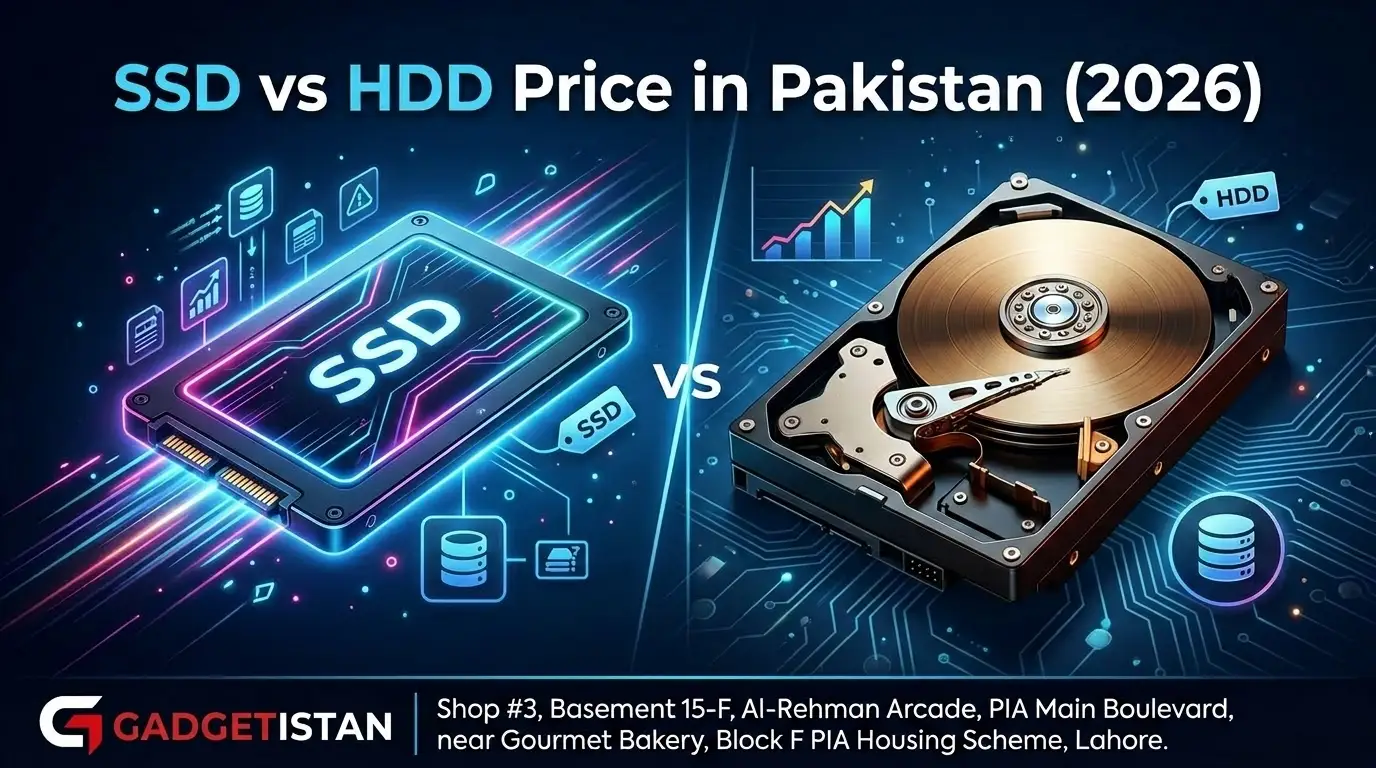
Here’s the simplest way to think about it. An HDD (Hard Disk Drive) is mechanical — there’s an actual spinning disc inside, like a tiny vinyl record player, with a magnetic arm that reads and writes data. It’s the older technology, been around since the 1960s, and it works fine. But it’s slow, it has moving parts that can break, and it hates being dropped.
An SSD (Solid State Drive) has no moving parts at all. It stores data in flash memory chips — think of it like a very large, very fast USB drive built into your computer. It’s silent, shock-resistant, and dramatically faster than any HDD ever made.
There’s also a third type worth knowing about: the NVMe SSD. This is a newer, even faster kind of SSD that plugs directly into your motherboard instead of connecting via a cable. Modern laptops and gaming PCs almost all use NVMe now. It’s what gives your PC that instant, snappy feel when you open apps or boot Windows.
Quick note: When a shop says “512GB SSD” they usually mean a SATA SSD. If it says “M.2 NVMe” that’s the faster type. Both are SSDs — NVMe is just significantly quicker for heavy use like gaming and video editing.
Speed: This Is Where the Fight Ends (SSD vs HDD in Pakistan 2026)
Speed is the single biggest difference between these two technologies, and it’s not even close. A typical HDD reads data at somewhere between 80 to 160 megabytes per second. A budget SATA SSD does around 500 MB/s. A modern NVMe SSD? Anywhere from 3,500 to 7,000 MB/s. That’s like comparing a rickshaw to the Orange Line.
But raw numbers don’t mean much until you translate them into your daily life. Here’s what the difference actually feels like:
| Task | HDD | SSD |
|---|---|---|
| Windows boot time | 45–90 seconds | 8–15 seconds |
| Opening Chrome + 10 tabs | 15–25 seconds | 2–4 seconds |
| Game load screen (GTA V) | 3–5 minutes | 30–60 seconds |
| Copying a 10GB file | ~2 minutes | ~20 seconds |
| Opening Adobe Photoshop | 20–40 seconds | 3–6 seconds |
| Sequential read speed | 80–160 MB/s | 500–7,000 MB/s |
The difference you feel day to day isn’t just in boot times though. It’s in how alive your computer feels. With an HDD, there’s always a tiny pause — a little lag when you click something, a moment of waiting when you switch apps. An SSD removes all of that. Your computer responds the moment you ask it to.
Tip: If you have an old desktop or laptop sitting at home that feels unbearably slow, replacing the HDD with a budget SSD is the single best upgrade you can make. A Kingston 480GB or 512GB SSD from Gadgetistan costs Rs. 18000–19500 and can make a 7-year-old laptop feel completely usable again. We can also help with installation if needed.
SSD vs HDD Price in Pakistan — What to Expect in 2026
SSD prices have fallen sharply over the last two to three years. What used to be a luxury is now genuinely affordable. Here’s a rough picture of current prices at Gadgetistan in 2026 — all with official local warranty:
SSDs available at Gadgetistan:
| Drive | Capacity | Price (PKR) | Popular Brands |
|---|---|---|---|
| SATA SSD | 480GB / 512GB | Rs. 18000–19500 | Kingston A400, WD Green, Crucial BX500 |
| SATA SSD | 1TB | Rs. 30000–40000 | Samsung 870 EVO, Kingston NV2, Crucial MX500 |
| NVMe M.2 SSD | 512GB | Rs. 19000–22000 | WD SN350, Kingston NV2 M.2 |
| NVMe M.2 SSD | 1TB | Rs. 37,000–40,000 | WD Blue SN580, Samsung 980 |
HDDs available at Gadgetistan:
| Drive | Capacity | Price (PKR) | Popular Brands |
|---|---|---|---|
| HDD 3.5″ | 1TB | Rs. 9000–12000 | Seagate Barracuda, WD Blue |
| HDD 3.5″ | 2TB | Rs. 15000–18,000 | Seagate Barracuda, WD Blue |
| HDD 3.5″ | 4TB | Rs. 25000–28,000 | WD Red, Seagate IronWolf |
The key insight here: at 1TB, SSDs and HDDs are now nearly the same price in Pakistan. Once you cross into 2TB and above, HDDs are still cheaper per gigabyte. That’s the only real price advantage HDDs have left.
Watch out for grey imports: Some sellers in Lahore sell SSDs without a local warranty — especially Chinese no-name brands. At Gadgetistan, every drive we stock comes with a verified official distributor warranty. An SSD that dies after three months with no warranty is not a bargain — it’s a total loss.
Why SSDs Make Extra Sense in Pakistan
Beyond the global comparison, there are three Pakistan-specific reasons why an SSD is the smarter choice here.
Load shedding and voltage fluctuations
Irregular power supply is real across Pakistan, even in Lahore. Every time power cuts out unexpectedly, an HDD’s spinning platter risks a head crash — the read arm can physically scratch the disc if it doesn’t park in time. SSDs have no moving parts, so a sudden power cut is far less likely to damage them or corrupt your data. If you’re running a computer without a quality UPS, this matters a lot.
Heat
Pakistani summers are no joke. In June and July, your room can hit 40°C or above, especially when the AC isn’t running during load shedding hours. HDDs run warm, and heat accelerates wear on their mechanical components. SSDs run cooler and handle heat stress significantly better over the long run.
Laptop use and movement
If you’re a student carrying a laptop between university and home, or a freelancer working from different spots around Lahore — movement is bad for HDDs. A bump or jolt while the drive is spinning can cause real damage. SSDs are completely solid-state; you can move them freely without any risk.
Shopping tip: When you order from Gadgetistan, every SSD and HDD we ship is tested and comes with a verified local warranty. That’s something worth paying attention to when you’re making a purchase that should last you years.
So Who Should Actually Buy What? SSD vs HDD in Pakistan 2026
Let’s stop being theoretical. Here’s the real breakdown by person:
Buy an SSD if you are:
- A student who needs a fast, portable laptop
- A gamer — GTA, FC 26, Call of Duty all load dramatically faster on SSD
- A graphic designer or video editor working on active projects
- Anyone building a new PC in 2026
- Someone upgrading an old slow laptop or desktop
- A freelancer who cannot afford downtime
- Anyone regularly working through load shedding hours
Buy an HDD if you need:
- A home server or NAS with 4TB+ of storage
- A video production archive for large raw footage backups
- Cheap bulk storage to sit alongside an existing SSD
- A desktop backup drive that stays plugged in permanently
- Local storage for a large movie or media library
- A secondary drive — never as your main system drive
The sweet spot for most Pakistani buyers in 2026: a 512GB or 1TB SSD as your main drive for Windows, apps, and games — and if you need extra room for files, movies, or backups, add a 1TB or 2TB external HDD. Best of both worlds, and it fits most budgets comfortably.
Durability, Noise, and Lifespan — The Honest Picture
Durability: SSDs win clearly. No moving parts means no mechanical failure from drops or bumps. HDDs are fragile when the platters are spinning — a 50cm drop on a hard floor can kill a running HDD, and your data goes with it.
Noise: HDDs make a soft humming and clicking sound — you can usually hear a busy HDD working if you listen carefully. SSDs are completely silent. If you’re building a quiet workstation or recording audio, this actually matters.
Power consumption: SSDs use significantly less power. On a laptop, this translates directly into longer battery life — something you appreciate more during load shedding hours when you’re running on battery.
Lifespan: Both technologies last many years under normal use. HDDs fail mechanically over time — the spindle motor or read arm wears out eventually. SSDs have a finite number of write cycles, but for typical use — writing a few gigabytes a day — a modern SSD will last well over ten years before those limits become relevant. The bigger risk with HDDs in Pakistan is environmental: heat, power cuts, and movement — not age.
Always back up your data — regardless of which you choose. No storage medium is permanent. Keep important files on Google Drive, an external drive, or in at least two separate locations. This matters even more in Pakistan where power surges during load shedding can damage electronics.
The Final Verdict — Plain and Simple
SSD vs HDD in Pakistan 2026, for the vast majority of Pakistani buyers, the answer is SSD.
In Pakistan’s current market, SSDs are still more expensive than HDDs, so the choice ultimately comes down to your budget and needs. If you want speed, smooth performance, and a modern computing experience, an SSD is absolutely worth the investment. But if you need large storage at a lower cost, HDDs remain a practical and reliable option.
The smartest decision today isn’t choosing one over the other — it’s using both. Go for an SSD as your main drive for performance, and pair it with an HDD for affordable bulk storage. This way, you get the best of both worlds without overspending.
Looking to upgrade? Explore reliable SSD and HDD options at Gadgetistan — we’ll help you find the right balance for your setup without stretching your budget.
Frequently Asked Questions
What is the price of a 1TB SSD in Pakistan in 2026?
Is SSD better than HDD for gaming?
Where is the best place to buy an SSD in Lahore?
Can I use both SSD and HDD in one computer & laptop?
Is HDD still worth buying in 2026?
Which SSD brand is best Pc & Laptop in Pakistan?
Does load shedding in Pakistan damage SSDs or HDDs more?
What is the difference between SATA SSD and NVMe SSD?
Published by Gadgetistan · Lahore, Pakistan · gadgetistan.org · March 2026
All prices are astimated at Gadgetistan · Kingston · WD · Samsung · Seagate · With local warranty.