
Description
HP X500 Wired USB Optical Mouse – 1000 DPI Ergonomic USB Mouse for Laptop and Desktop PC
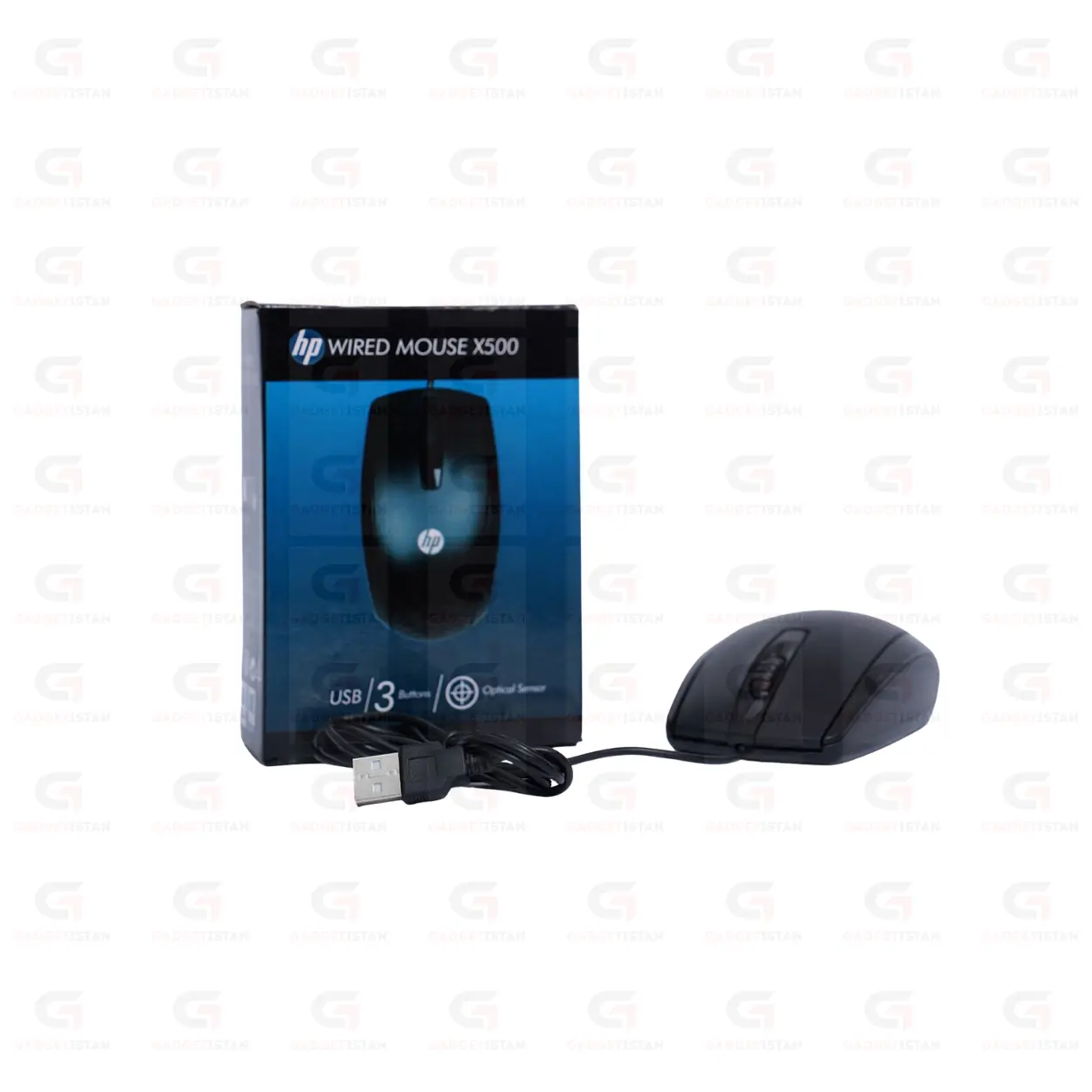
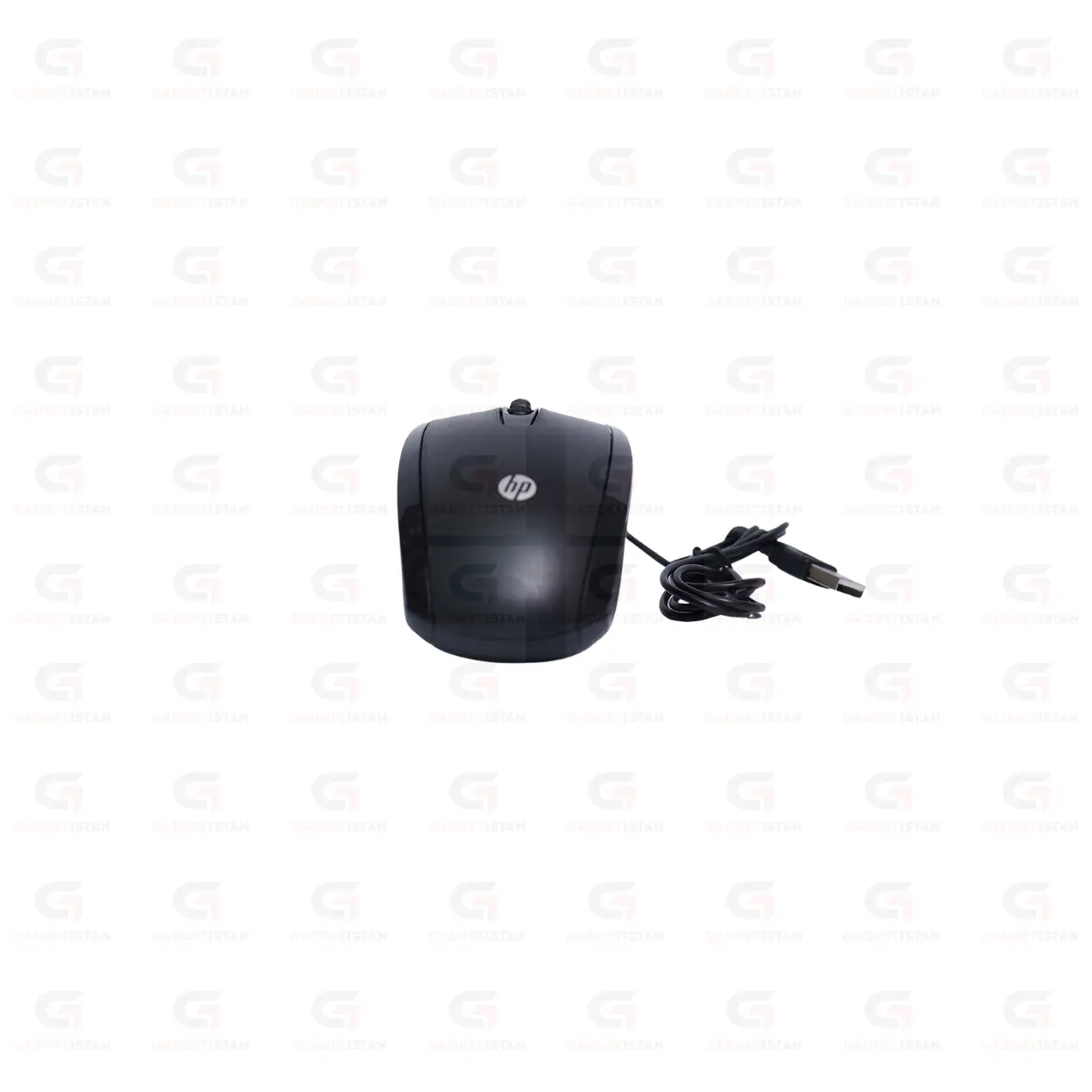
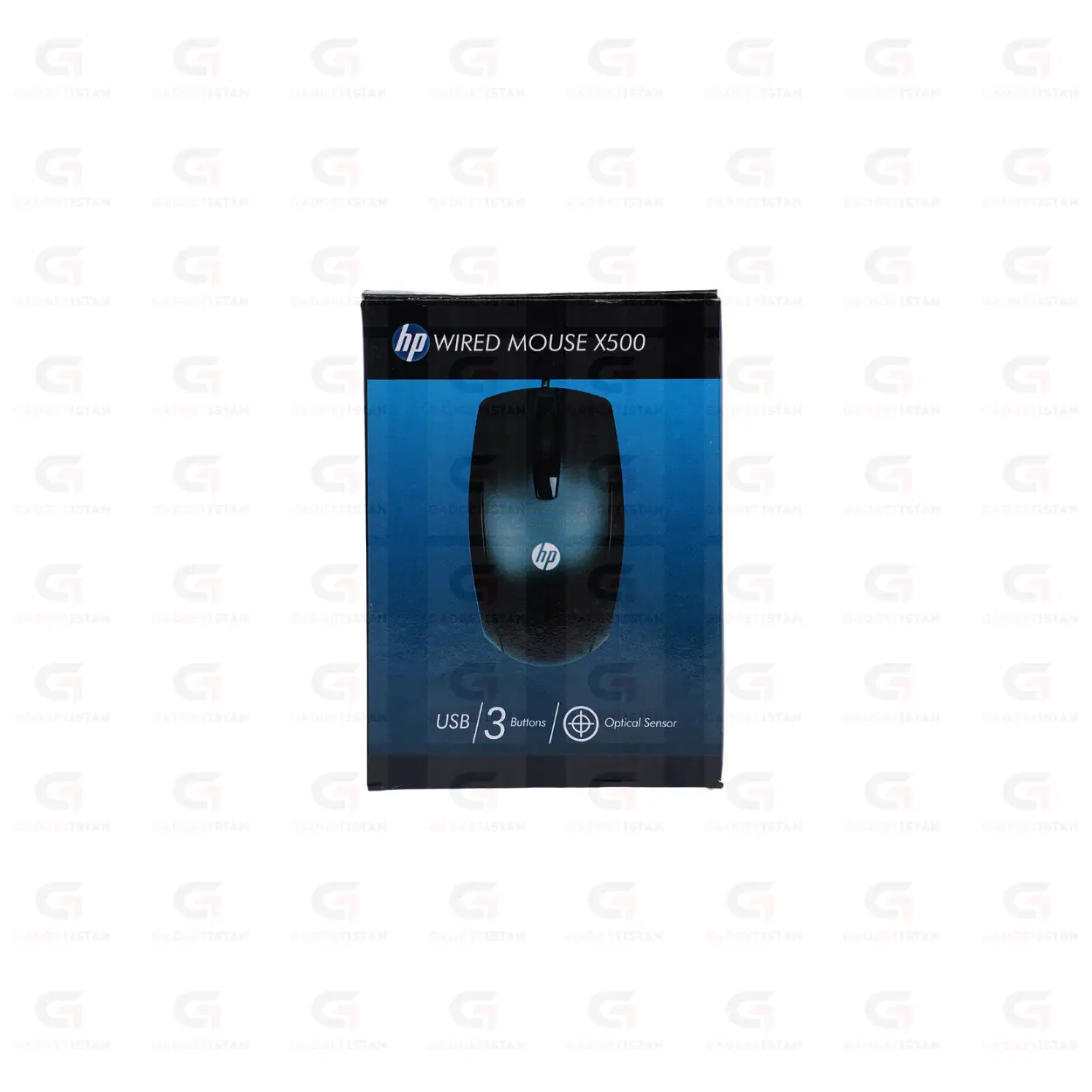
The HP X500 Wired USB Optical Mouse with a fixed 1000 DPI sensor, a three-button layout, and an ambidextrous symmetrical body that suits both left and right-handed users. It connects through a USB-A cable, draws power from the USB port with no batteries required, and is recognized automatically on Windows 7 through Windows 11, macOS, and Linux without driver installation. HP is a globally recognized technology company and the X500 is part of their standard wired mouse accessory lineup.
The wired connection is the defining characteristic of this mouse. It provides consistent, zero-latency cursor response with no signal interference, no battery management, and no pairing setup. Plug it in and it works.
Available at Gadgetistan | Price: Rs 550 | Fast delivery across Pakistan
1000 DPI Fixed Optical Sensor
The HP X500 Wired USB Optical Mouse uses a fixed 1000 DPI optical sensor that tracks cursor movement by reading reflected light from the surface beneath it. At 1000 DPI on a standard 1080p monitor, the cursor moves at a steady, controlled pace suited to document editing, spreadsheet navigation, web browsing, data entry, and online class use.
1000 DPI is the standard for everyday wired office mice. It gives enough cursor speed to navigate a monitor comfortably without the overshooting that can occur at higher DPI settings during precise tasks such as selecting small text or clicking small interface elements. DPI is fixed and not switchable on this model.
The sensor performs reliably on most standard flat surfaces including wooden desktops, fabric mouse pads, plastic tabletops, and smooth cloth surfaces. It does not track accurately on transparent glass or mirror-finish reflective surfaces. For consistent daily use, a standard fabric or hard surface mouse pad is recommended.
Wired USB Connection – No Batteries, No Interference
The HP X500 Wired USB Optical Mouse connects through a USB-A cable and draws all operating power from the USB port. There are no batteries to replace, no built-in battery to charge, and no wireless receiver to manage. The wired connection delivers a direct, interference-free signal path between the mouse and computer with no transmission latency.
The cable length is 1.5-meter cable.
For users who find wireless battery management inconvenient, or who work in environments where wireless interference from dense Wi-Fi networks is a concern, a wired mouse is the more dependable daily choice. The X500 is always ready when the computer is on and requires no attention between sessions.
Three-Button Layout with Scroll Wheel
The HP X500 Wired USB Optical Mouse has a standard three-button layout: left click, right click, and a center scroll wheel with middle-click function. This covers all routine everyday computing actions including web browsing, document navigation, spreadsheet use, and media playback control.
The scroll wheel handles vertical scrolling through documents and web pages.The scroll wheel is smooth.
There are no side navigation buttons on this model. For users who need browser back and forward thumb buttons as part of their daily workflow, a mouse with a four or five-button layout would be more suitable. For standard office and study tasks, the three-button layout covers everything needed cleanly.
Ambidextrous Design for Left and Right-Handed Users
The HP X500 Wired USB Optical Mouse has a symmetrical ambidextrous body with no right-hand contour, side thumb rest, or asymmetric button placement. This makes it equally usable for left and right-handed users without any adaptation, which is practical for shared computer setups in offices, classrooms, school labs, and family home desks where different users sit at the same workstation.
The lightweight construction keeps hand and wrist fatigue low during extended sessions.The mouse weight 106 grams.
The grip surface material is ABS plastic.
Plug-and-Play on Windows, macOS, and Linux
The HP X500 Wired USB Optical Mouse uses the USB HID standard, which is natively supported by all major operating systems. No driver installation is needed on Windows 7, Windows 8, Windows 10, Windows 11, macOS, or Linux. Connect the USB cable to any available USB-A port and the mouse is detected and functional within seconds.
On Windows, it appears in Device Manager as a standard HID-compliant mouse. On macOS, it works immediately from the first movement. On Linux, USB HID is handled at the kernel level with no configuration required.
It works on locked-down school, office, and university computers where software installation is not permitted, making it a practical choice for shared and managed computer environments.
If your laptop only has USB-C ports, a USB-A to USB-C adapter is needed to connect the cable.
HP Brand Quality and Warranty
HP is a publicly listed technology company with over 80 years of operating history, producing laptops, desktop PCs, printers, and accessories distributed worldwide. The X500 is part of HP’s standard wired mouse accessory lineup and carries HP’s standard product warranty.
Buying from an authorized retailer such as Gadgetistan ensures you receive a genuine HP product covered by the manufacturer’s warranty.
Who Should Buy the HP X500?
The HP X500 Wired USB Optical Mouse suits students, office workers, and home users who want a reliable, low-maintenance wired mouse from a recognized brand at a budget price. It is particularly practical for users who dislike managing wireless batteries, shared computer setups where multiple users need a comfortable ambidextrous mouse, school and office bulk procurement where reliability and brand consistency matter, and laptop users who want a simple plug-in mouse without wireless complexity.
It is not designed for gaming. The fixed 1000 DPI and three-button layout without programmable buttons or high polling rate place it in the everyday productivity category. For gaming use, HP produces dedicated gaming mice with higher DPI and faster polling rates.
For dependable daily computing with the reassurance of HP brand quality and warranty coverage, the X500 is a straightforward and well-built choice.
Technical Specifications
| Specification | Details |
| Brand | HP |
| Model | X500 |
| Product Type | Wired USB Optical Mouse |
| Connection | USB-A Wired |
| Sensor Type | Optical |
| DPI | 1000 (fixed) |
| Total Buttons | 3 (Left, Right, Scroll Wheel Click) |
| Side Buttons | No |
| Scroll Wheel | Yes smooth |
| Grip Style | Ambidextrous |
| Cable Length | Commonly 1.5 meters |
| Cable Type | Standard PVC |
| Power Source | USB bus power (no battery required) |
| Driver Required | No |
| Supported OS | Windows 7 / 8 / 10 / 11, macOS, Linux |
| Compatible Devices | Laptop, Desktop PC, Workstation, Mini PC |
| Weight | 106 grams |
| Color | Black |
| Price (Pakistan) | Rs 550 |
Frequently Asked Questions
What DPI does the HP X500 use and is it adjustable?
The HP X500 Wired USB Optical Mouse uses a fixed 1000 DPI optical sensor. DPI is not adjustable on this model and there is no DPI switching button. At 1000 DPI on a standard 1080p monitor, cursor speed is controlled and well suited to document editing, spreadsheet navigation, web browsing, and daily office use. Users who need adjustable DPI levels for different tasks, or higher DPI for large monitors, should consider a mouse with a switchable DPI button.
Does the HP X500 Wired USB Optical Mouse require batteries or charging?
No. The HP X500 Wired USB Optical Mouse that draws all operating power from the USB port it is connected to. No AA or AAA batteries are needed and there is no built-in rechargeable battery. Plug the USB cable into a USB-A port and the mouse works immediately. For users who find battery management in wireless mice inconvenient, the X500 eliminates that maintenance entirely with a permanently ready wired connection.
Is the HP X500 suitable for left-handed users?
Yes. The HP X500 Wired USB Optical Mouse has a symmetrical ambidextrous body with no right-hand contour, side thumb rest, or asymmetric shaping. Left and right-handed users grip it equally comfortably without any adaptation. This makes it a practical choice for shared computer setups in offices, classrooms, and family home environments where both left and right-handed users access the same workstation.
What cable length does the HP X500 have?
The HP X500 has a 1.5-meter USB cable.If your desktop PC sits on the floor or at a distance from the desk surface, confirm the cable length covers your specific setup before purchasing.
What is the price of the HP X500 in Pakistan?
The HP X500 Wired USB Optical Mouse is available at Gadgetistan for Rs 550. Order online for fast delivery to Lahore, Karachi, Islamabad, Rawalpindi, Faisalabad, Multan, Peshawar, Sialkot, Gujranwala, and all major cities across Pakistan.
Buy HP X500 Wired USB Optical Mouse Online in Pakistan
The HP X500 Wired USB Optical Mouse is a dependable, low-maintenance wired mouse backed by HP’s brand quality and warranty coverage. Fixed 1000 DPI optical tracking, a three-button ambidextrous layout, USB bus power with no batteries needed, and plug-and-play compatibility with Windows, macOS, and Linux make it a reliable everyday choice for students, office workers, and home users across Pakistan.
Order today from Gadgetistan and get fast delivery to Lahore, Karachi, Islamabad, Rawalpindi, Faisalabad, Multan, Peshawar, Sialkot, Gujranwala, and all major cities across Pakistan.

Reviews
There are no reviews yet.